Writing Articles
Anyone with good writing skills is welcome to write an article for the Fedora Magazine!
Writing an article requires write access to our Fedora Magazine Pagure (so you can indicate progress and exchange information with the editors) and to our Wordpress instance (where the articles are written). Read the Getting Access page for more information.
Writing an article
1. Choose what to write
Choose any article you like in the ideas column in the Kanban board of the Fedora Magazine Pagure. Or, propose your own.
Assign Open a topic, if necessary in the the Fedora Magazine Discourse forum, and let the editors know you would like to be the author of an article. Make certain you tell them the number. If you have been in contact with the editors regarding an article, simply let them know in your ongoing conversation.
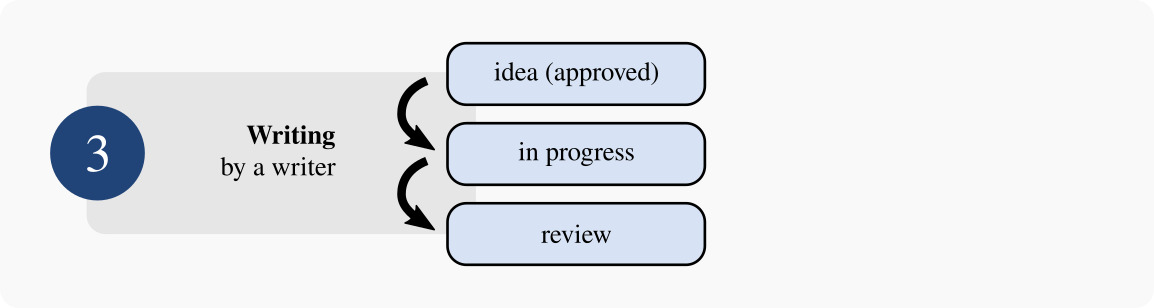
The editors will assign the article to you and move it to in-progress in the Fedora Magazine Kanban board.
2. Write it
Write your article in the Magazine Wordpress (create a new article there). Read the Writing Guidelines page for specific guidance about our preferred writing style.
Here’s a template you can use to structure your article well, and make it as useful as possible to readers. Make sure you set the article status from Pitch to Draft once you receive approval.
As you write your draft, try to understand and follow the style, grammar, and SEO guidelines for the Magazine. Don’t skip this step! The guidelines tell you how to use markup, write better sentences, and get your article ranked well in search engines. Also, if you write a better article, the editors are more likely to publish it sooner.
3. Mark it as done
When you feel you are done writing the article and it is ready for review, state that in a comment on your card in Pagure. The editors will move it to review in the Kanban board. Please make certain you include a link to the WordPress preview for your article in the comments on the card so the Editors can access it.
And that’s it!
Please note that in some cases the editors might require a change in your article. In that case, you’ll receive feedback in the card, and it will be moved back to the in-progress column. Please make the requested change and let the editors know in the comments. They will move it back to review.
Fluxo de trabalho
Previous step: Clarification
Next step: Review
Want to help? Learn how to contribute to Fedora Docs ›